Project 05
Designing Your Future
A large-scale interactive exhibit concept for Georgia Tech’s College of Design, developed from early physical installation ideas into a screen-based experience for the Interactive Media Zone.
Context
Making the College of Design’s process visible.
Designing Your Future began as an exhibit project for Georgia Tech’s College of Design. The goal was to create an experience that could introduce visitors to the College’s schools, student work, creative process, and future-facing design opportunities.
The exhibit was built around student and faculty contributions, project archives across the College of Design, and process documentation including sketches, prototypes, final deliverables, and digital media assets.
These materials were used to show the full design journey from idea to refinement, helping visitors understand design as an evolving process rather than a single finished outcome.
Early Directions
Three physical exhibit concepts explored different ways to tell the story.
Before becoming a screen-based exhibit, the project explored several physical installation formats. Each concept used the College of Design’s schools, archives, and student work as material for a spatial experience.
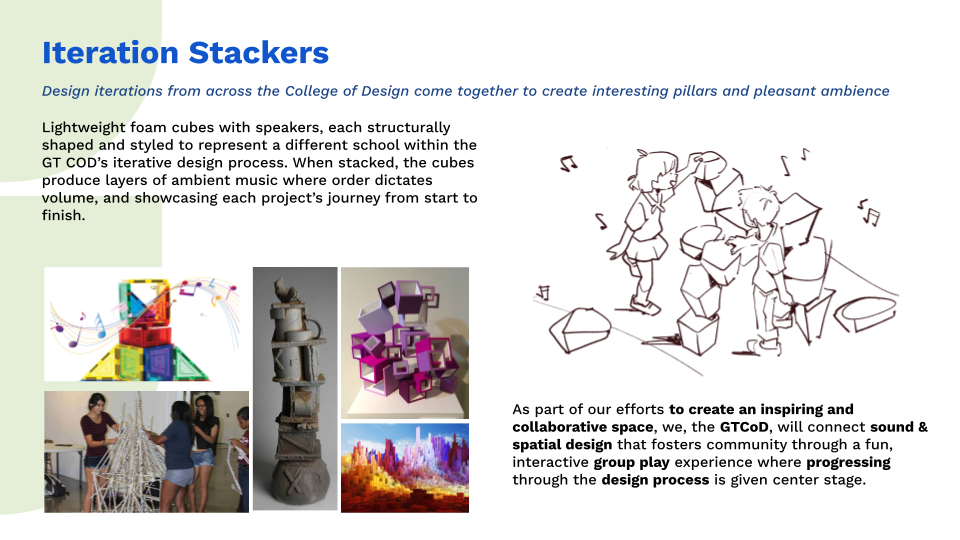
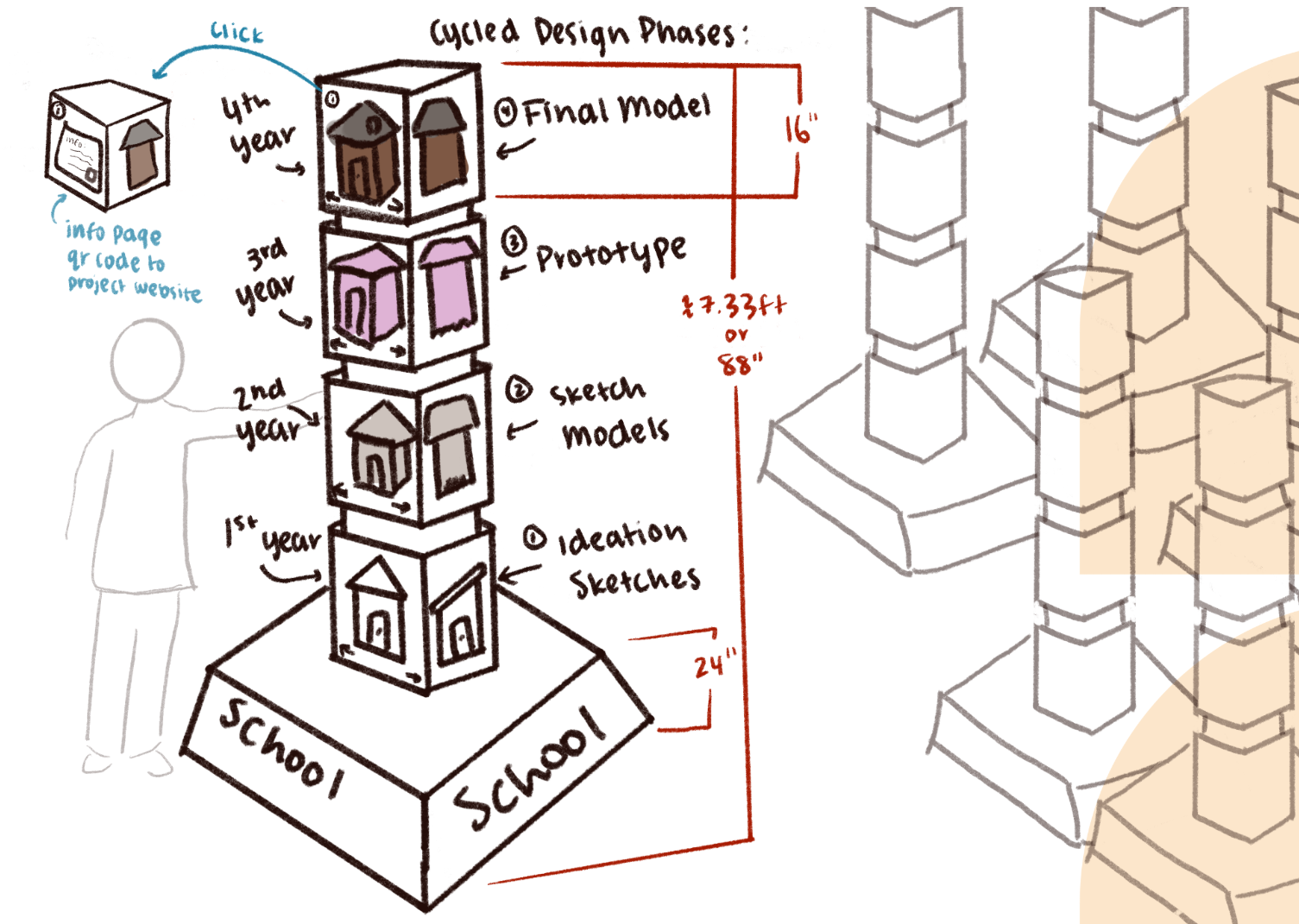
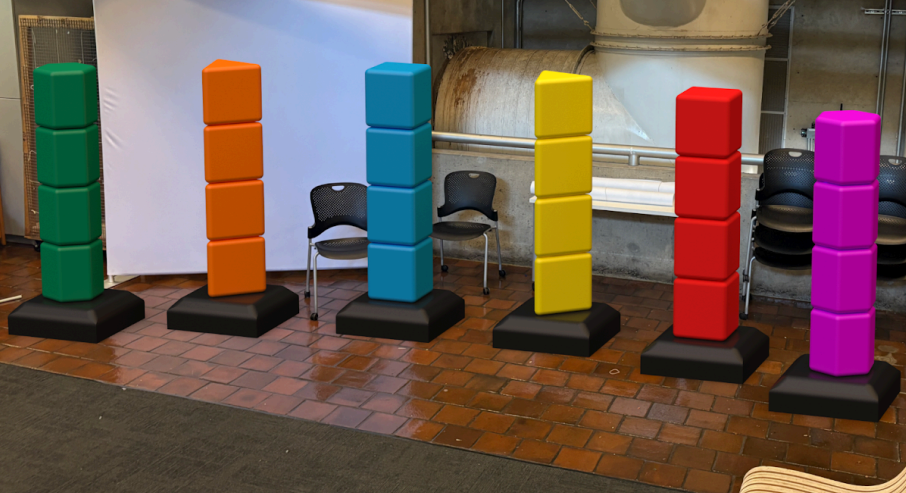
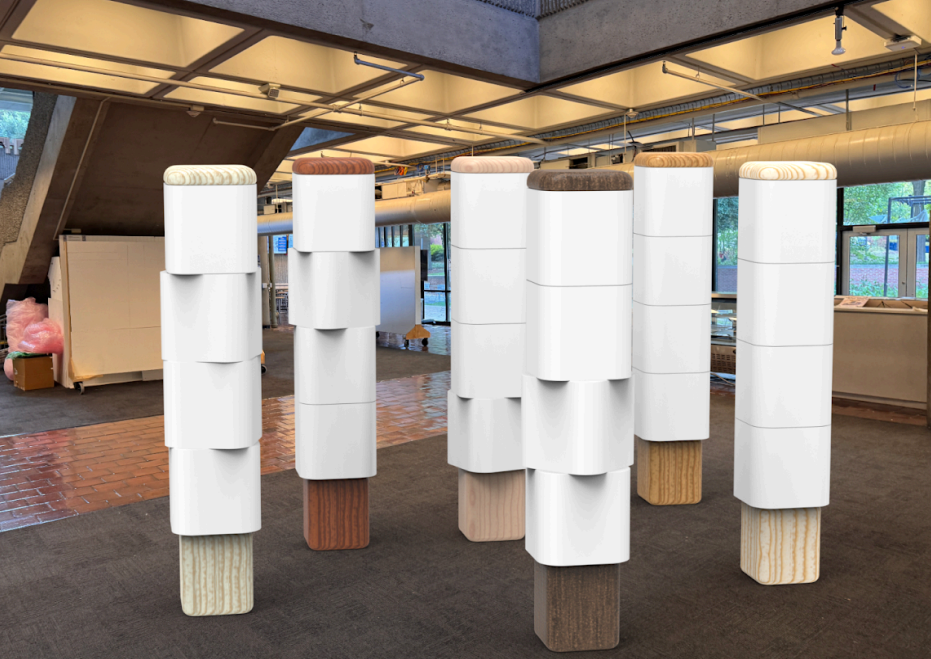
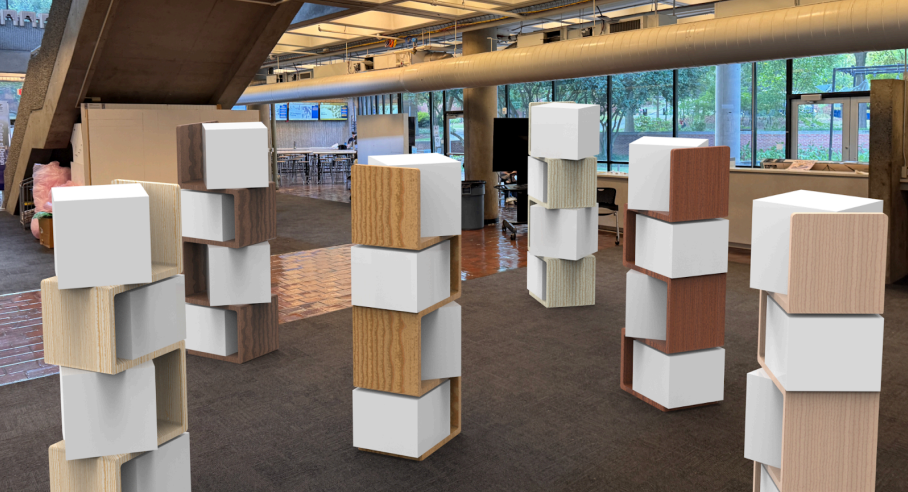
Early directions included a constellation-based relaxation space beneath the stairs, an augmented-reality archive of student projects, and a modular Iteration Stackers concept that used stacked physical cubes to represent different stages of the design process.
.png)
.png)
Selected Concept
Iteration Stackers turned design process into a physical interaction.
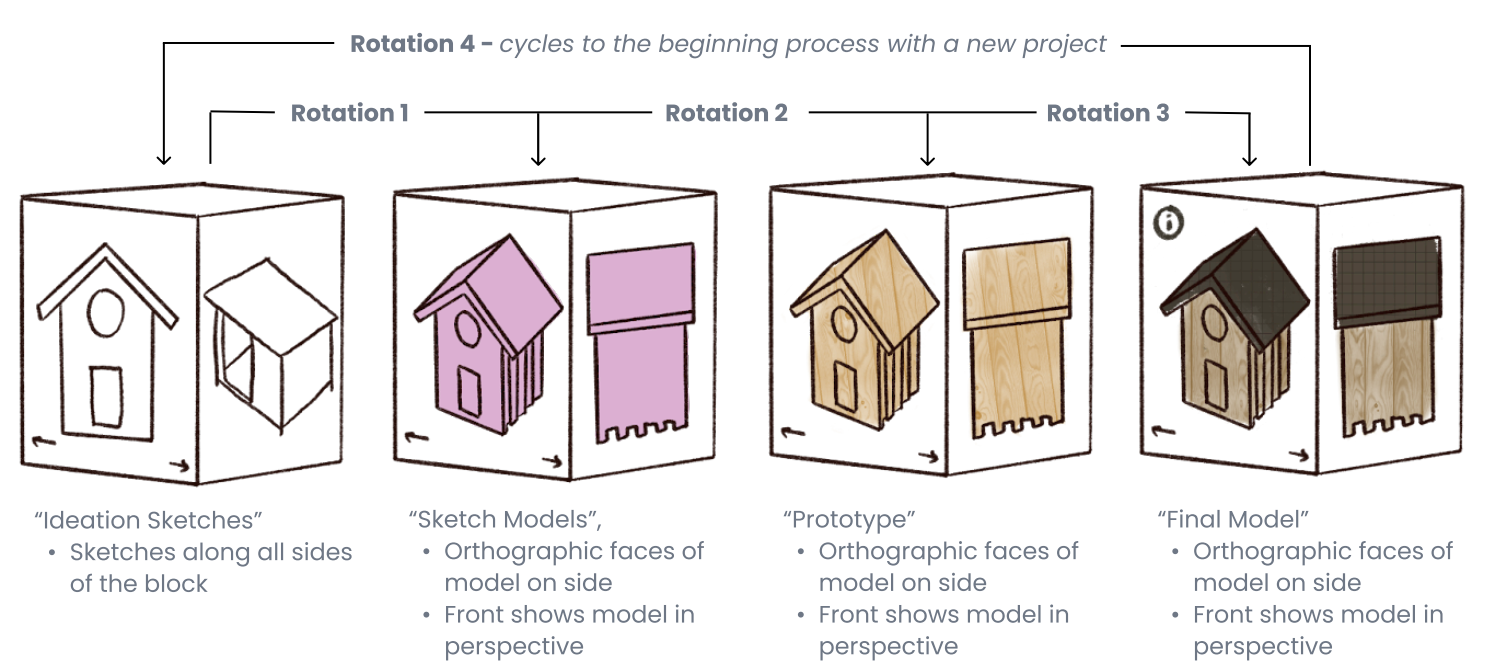
After comparing the initial concepts, the team moved forward with Iteration Stackers because it best represented design as a layered process. Each cube could show a different phase of a project, moving from ideation sketches to sketch models, prototypes, and final models.
The physical format gave visitors a direct way to rotate through student work and understand how projects develop across time.
Physical Installation Development
The Stackers became school-based sculptural pillars.
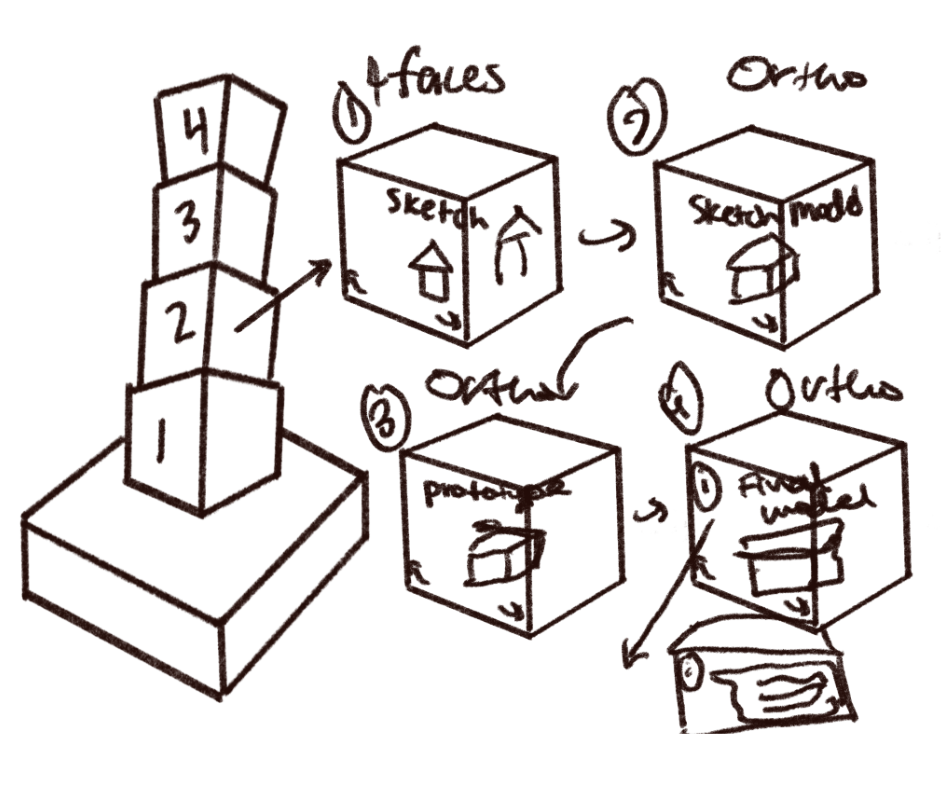
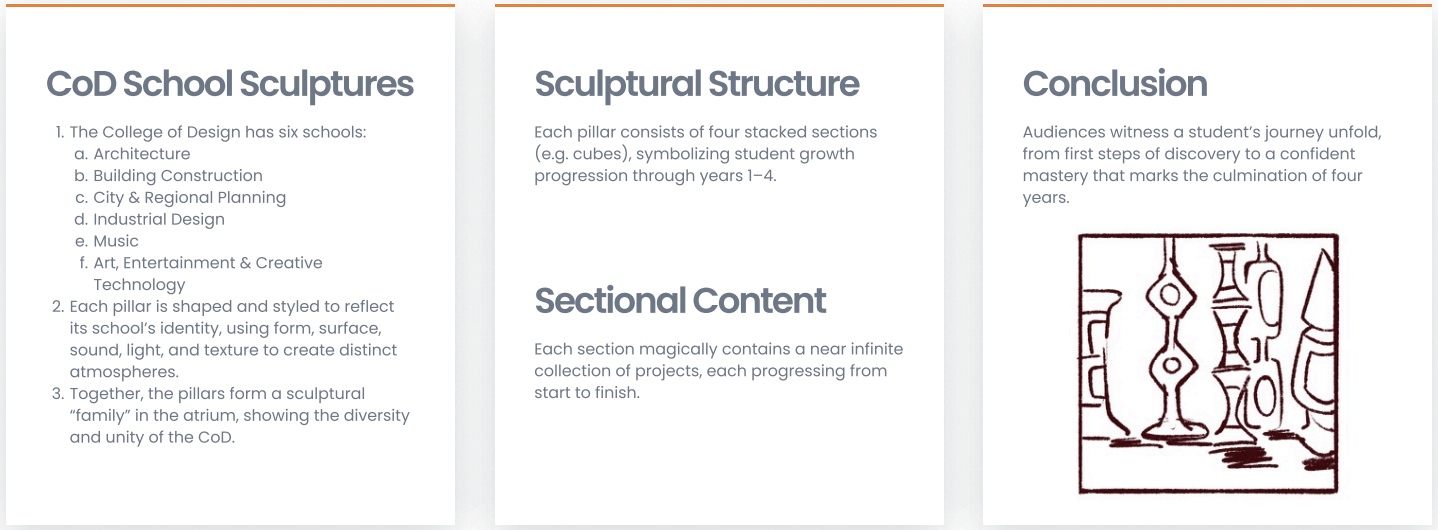
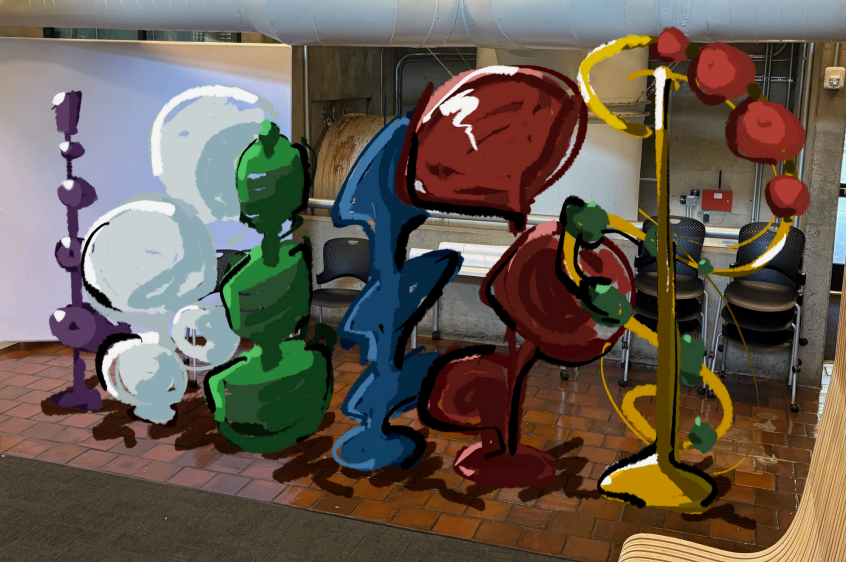
Iteration Stackers was developed as a set of school-based sculptural pillars, with each pillar representing one of the College of Design’s schools. Each stacked section represented a different stage of a student’s growth through the design process.
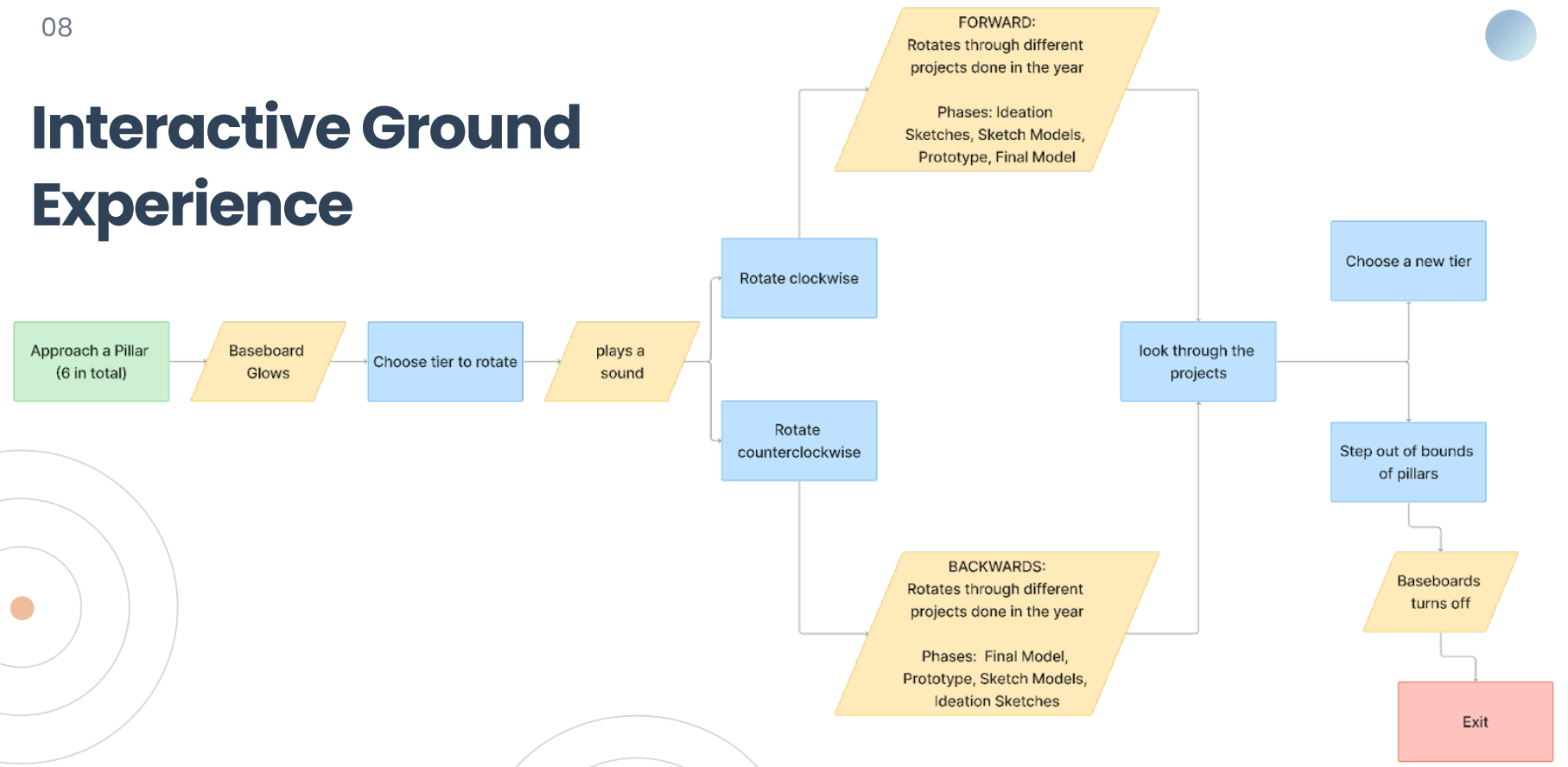
Visitors would approach a pillar, activate its base, and rotate through layers of student work. The cubes were designed to reveal a project’s movement from ideation sketches to sketch models, prototypes, and final models, turning process documentation into a physical interaction.
Student Journey
The interaction was framed as a cycle of discovery, growth, and return.
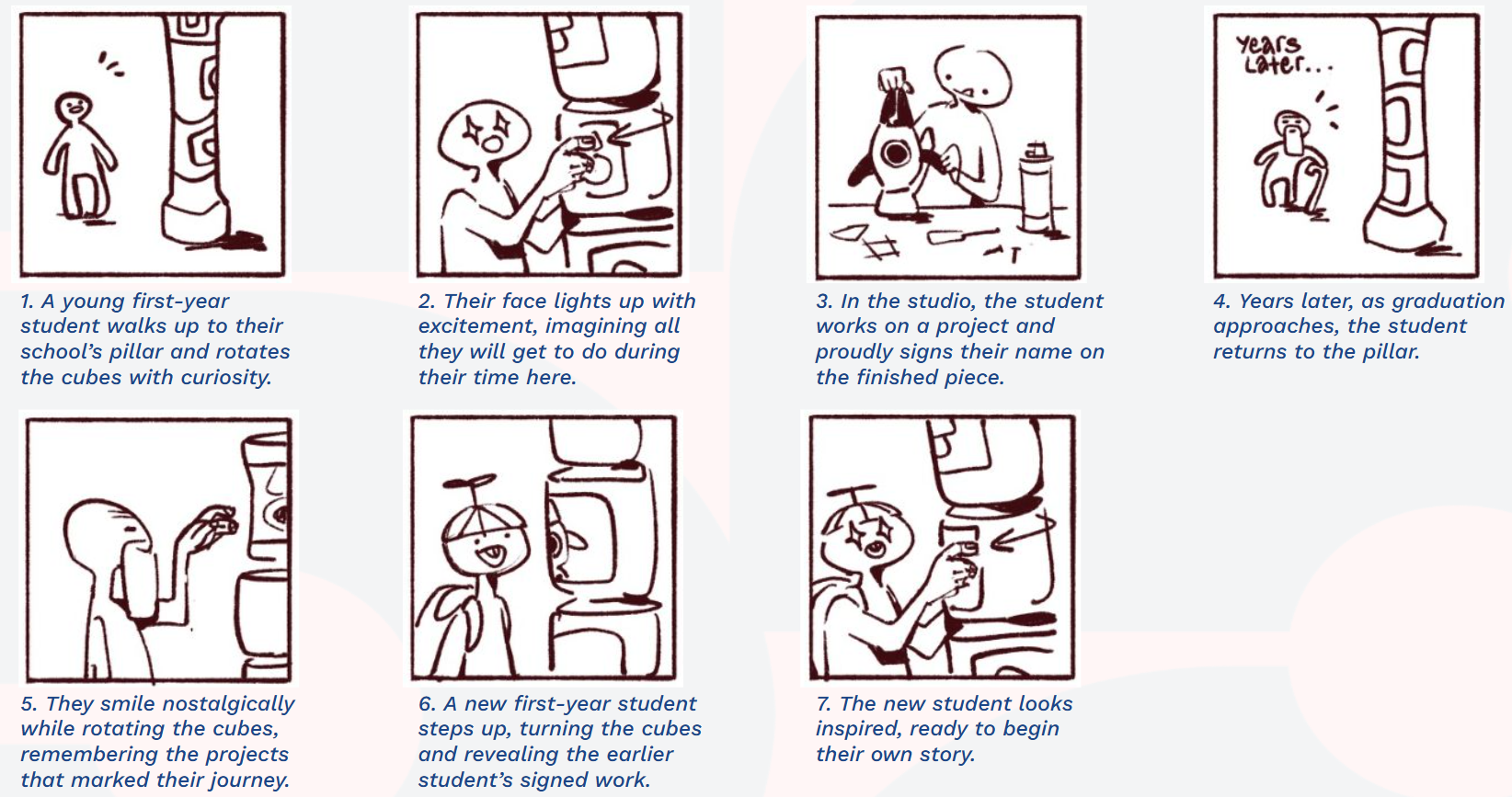
The storyboard focused on the student journey through the Stackers concept. It shows how an incoming student might first encounter the College of Design pillars, rotate through sections of student work, and begin to understand the process and legacy of each school.
The story also follows the idea of return: as students grow through the program, their own projects become part of the exhibit, leaving behind work that can inspire the next generation.
Overhead Installation Development
The physical concept shifted upward into the atrium ceiling.
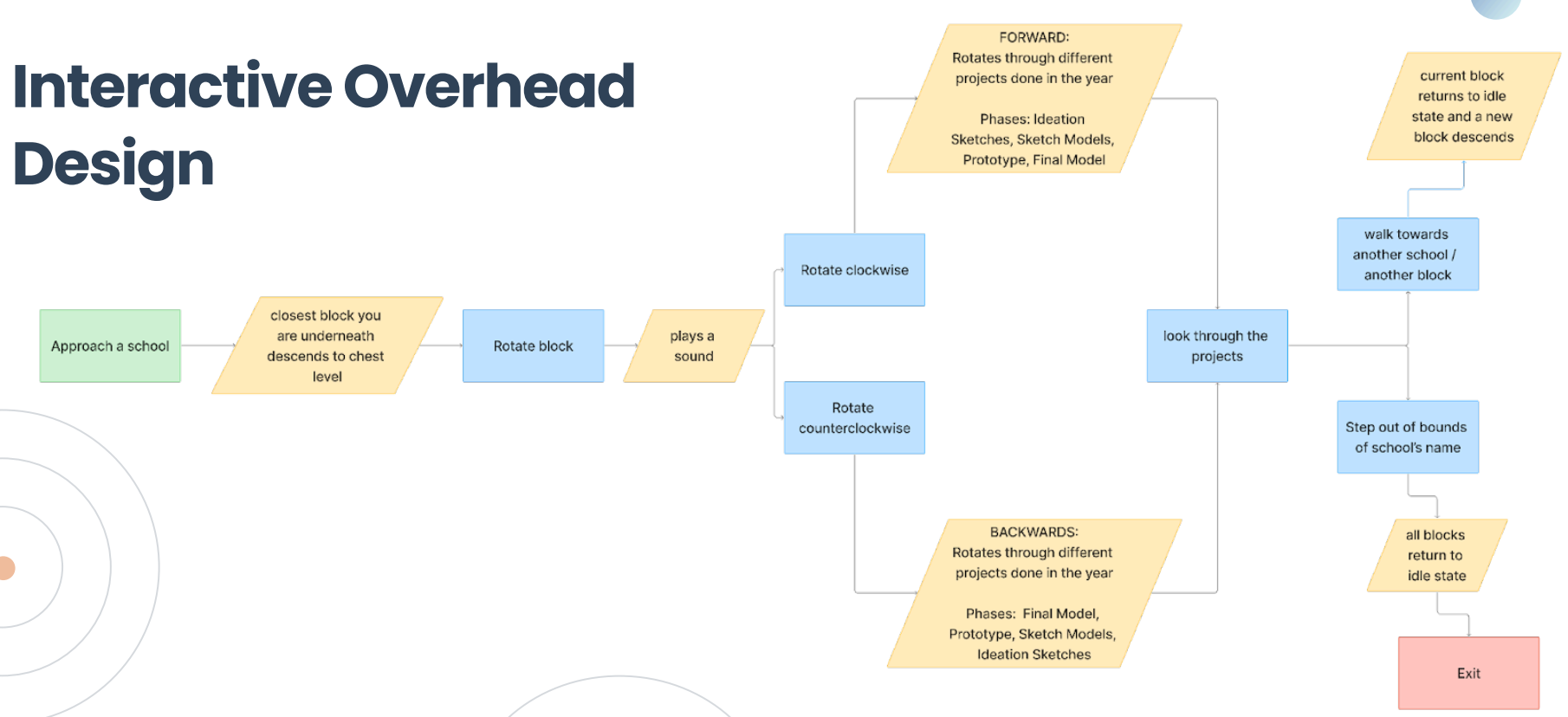
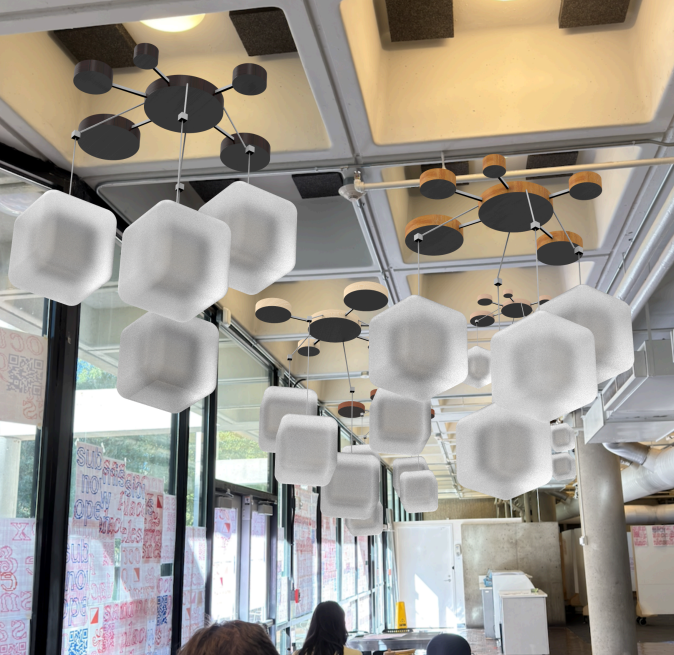
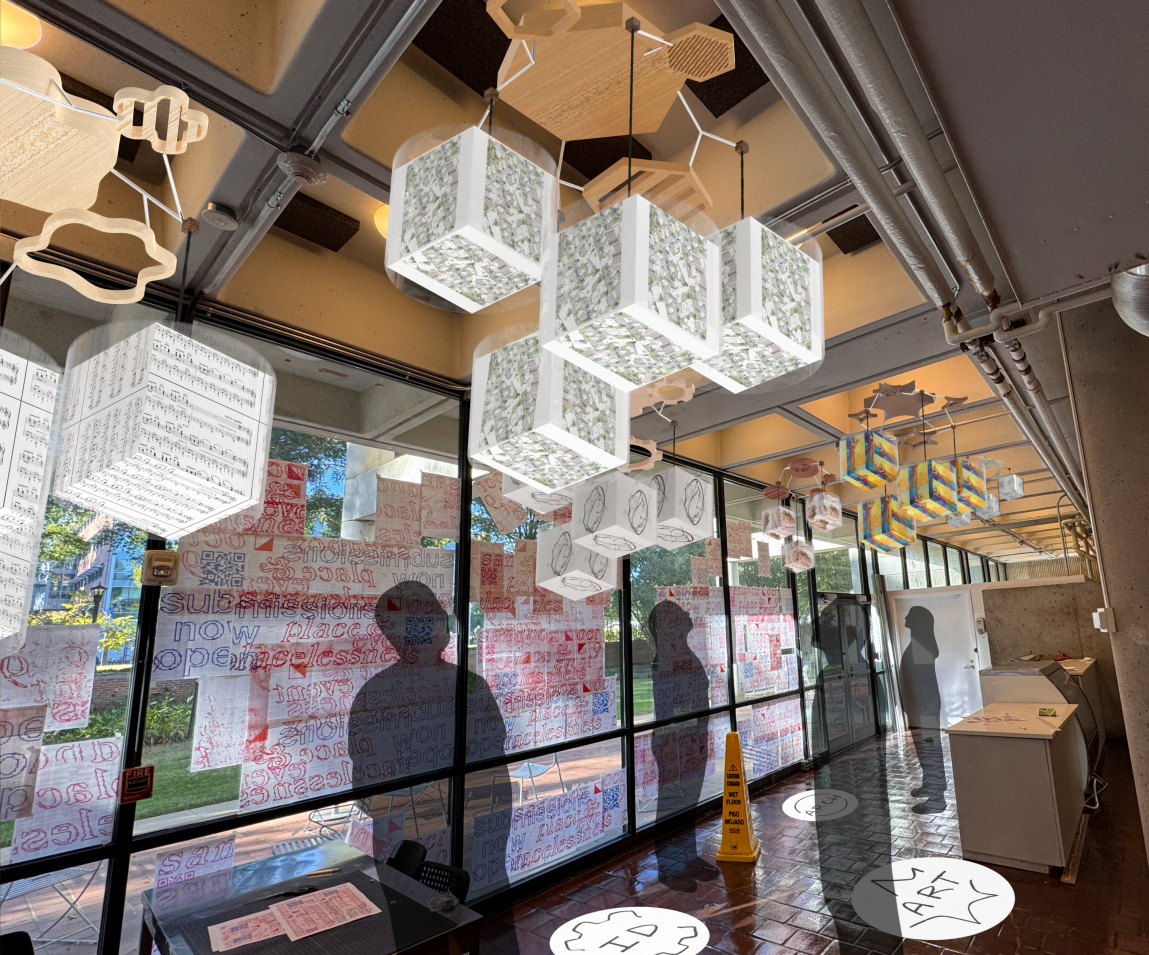
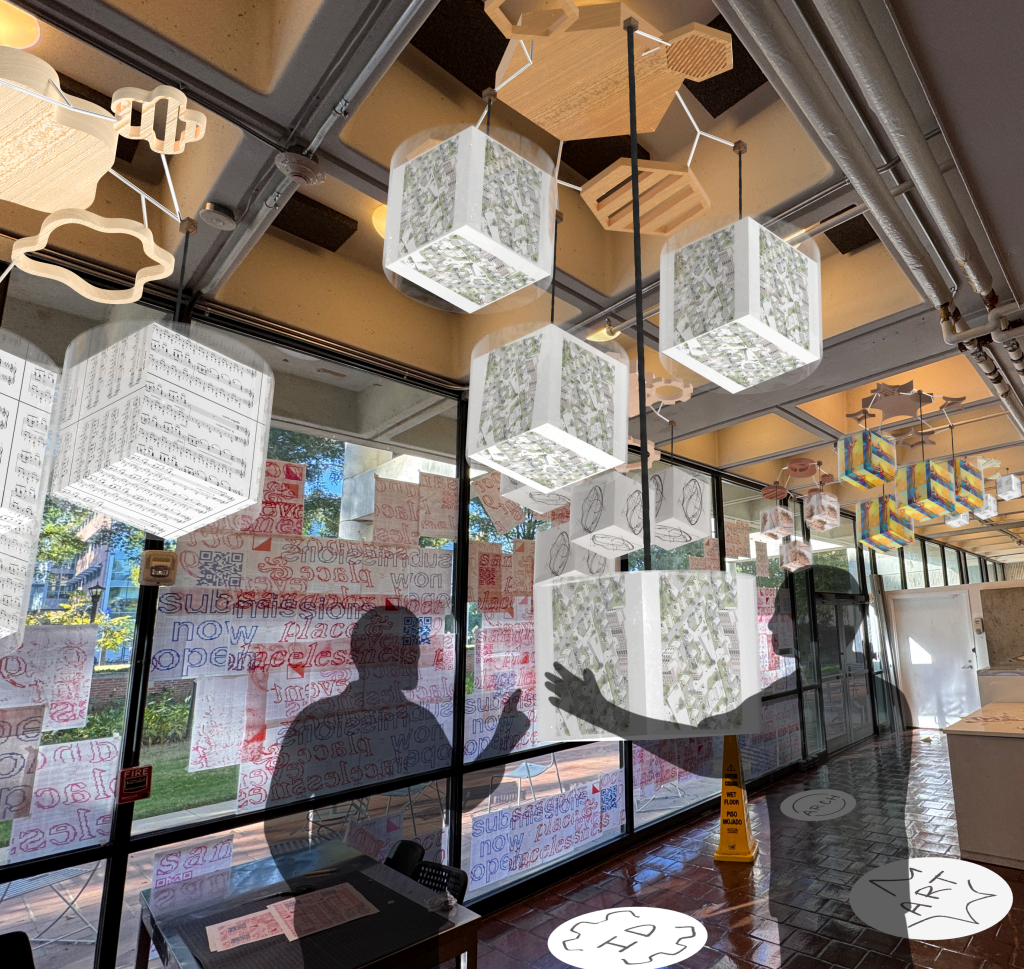
After developing the floor-based Stackers concept, the project shifted toward an overhead installation that could better use the atrium space without occupying the main walking path.
This version kept the rotating project-block interaction, but moved the display above the visitor. A cube would descend to viewing height when a visitor approached a school zone, allowing them to explore student work by rotating through project phases and years.
Screen-Based Exhibit Development
The concept became a large-scale digital exhibit.
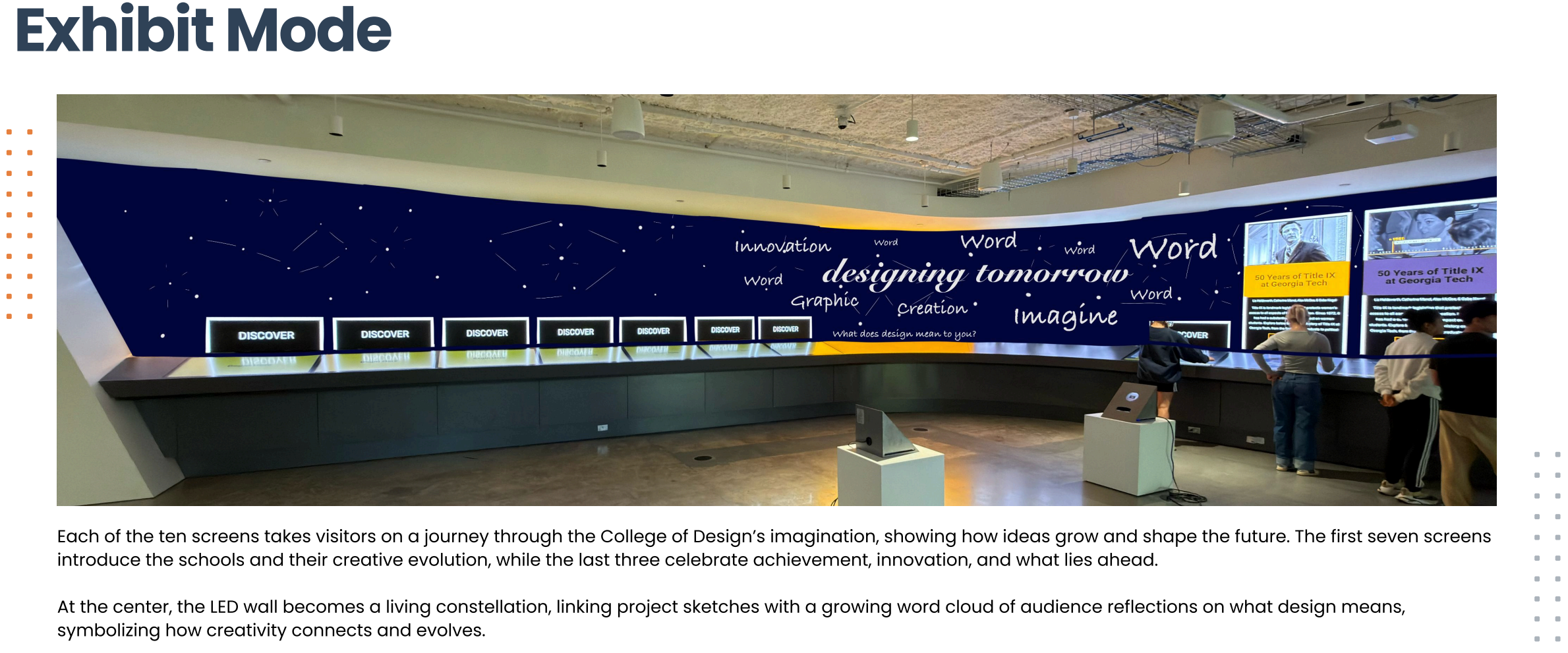
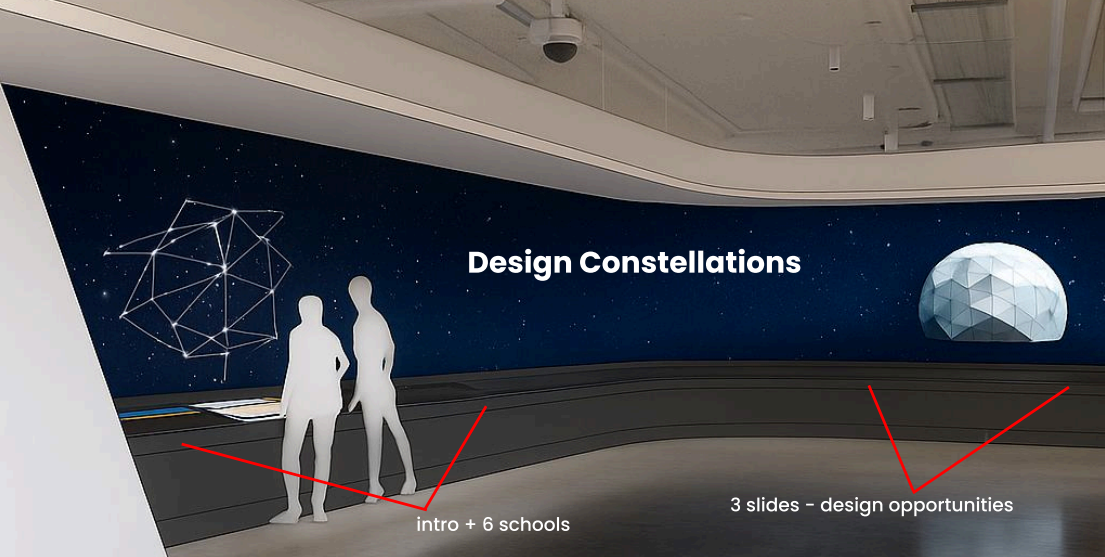
As the concept moved into the Interactive Media Zone, the project was reframed as Design Constellations: a large-scale screen experience that used the LED wall and touchscreen stations to guide visitors through the College of Design.
The screen direction kept the earlier themes of discovery, process, and school identity, but shifted them into a more flexible digital format. Instead of rotating physical cubes, visitors could move through screens that introduced each school, showed the evolution of student work, and connected projects through a constellation-inspired visual system.
Interactive Media Zone
The final direction used the LED wall as a living constellation.
The project eventually shifted from a physical installation into a screen-based exhibit for the Interactive Media Zone. This final direction kept the original focus on discovery, school identity, and design process, but translated it into a large-scale digital experience.
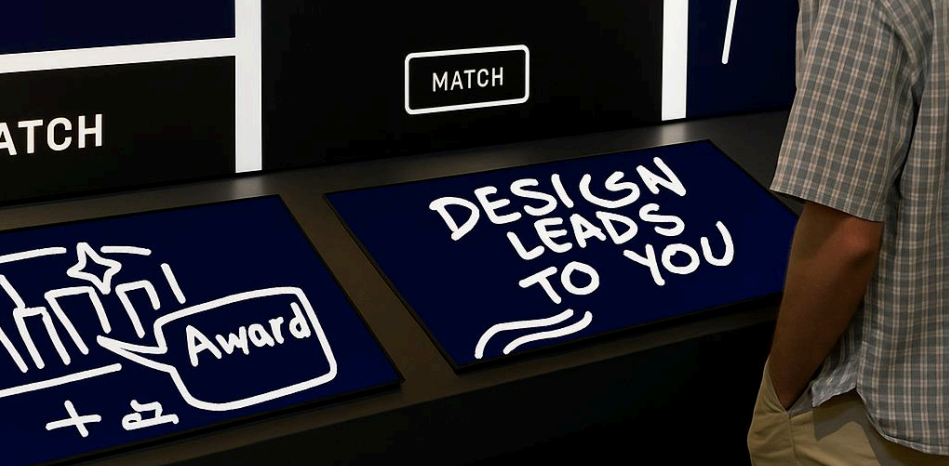
The exhibit used the LED wall as a visual constellation, with touchscreen stations allowing visitors to move through the College of Design’s schools, project archives, process stories, and future-facing themes.
Aesthetic Direction
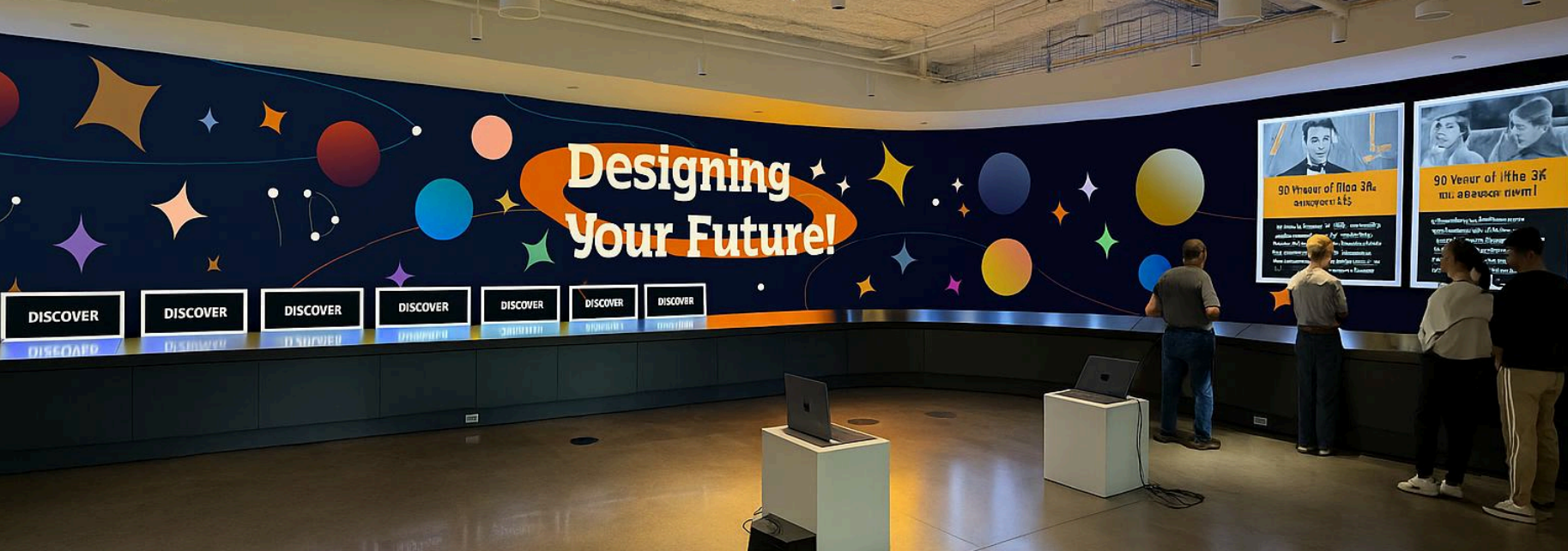
A louder, more radioactive visual system to pull people into the topic.
The final aesthetic direction moved toward a high-energy visual language that felt loud, glowing, and radioactive. The goal was to make the exhibit difficult to ignore in a busy public space.
Bright contrast, electric color, motion, and a cosmic atmosphere helped turn the College of Design’s archive into something more active and attention-grabbing, supporting the exhibit’s role as both information system and visual attraction.

Final Screen Content
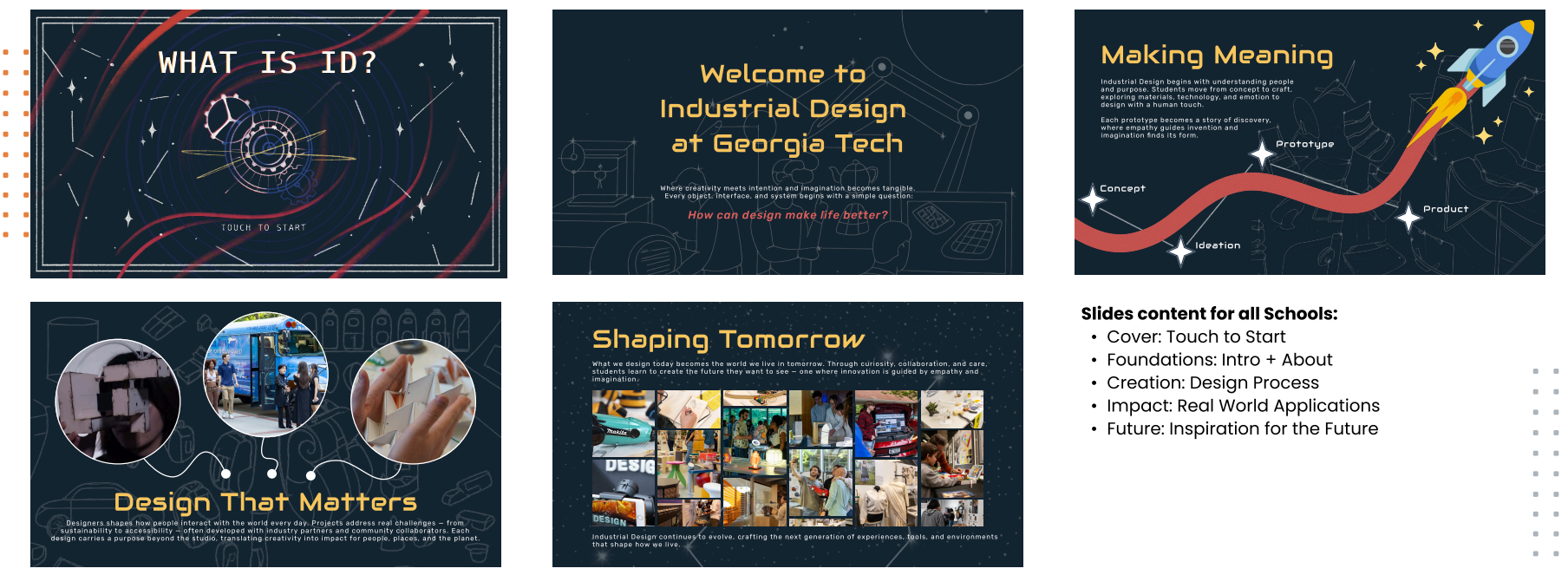
Each screen introduced a school, theme, or future-facing design opportunity.
The final screen system used a space-inspired visual language to connect the College of Design’s disciplines as a constellation. The first screens introduced the College and its schools, while later screens focused on achievement, innovation, and what comes next.
My contributions focused on visual system development, exhibit flow, screen content, motion direction, and adapting earlier physical interaction concepts into a digital exhibit format that could work within the Interactive Media Zone.

Final Video
Motion and sound tied the exhibit into a guided story.
The final video showed the exhibit as a short narrative experience, combining the screen visuals with motion, pacing, and sound design to demonstrate how visitors would move through the story.
This helped communicate the exhibit as more than a static display: it was designed as an immersive sequence that introduced the College of Design, moved through its schools and disciplines, and ended by pointing visitors toward future opportunities.